Event Hook configuration in JoinNow involves the generation of a unique authentication Secret for the creation of an endpoint URL. To configure event hooks in JoinNow:
- Log in to the JoinNow Management Portal.
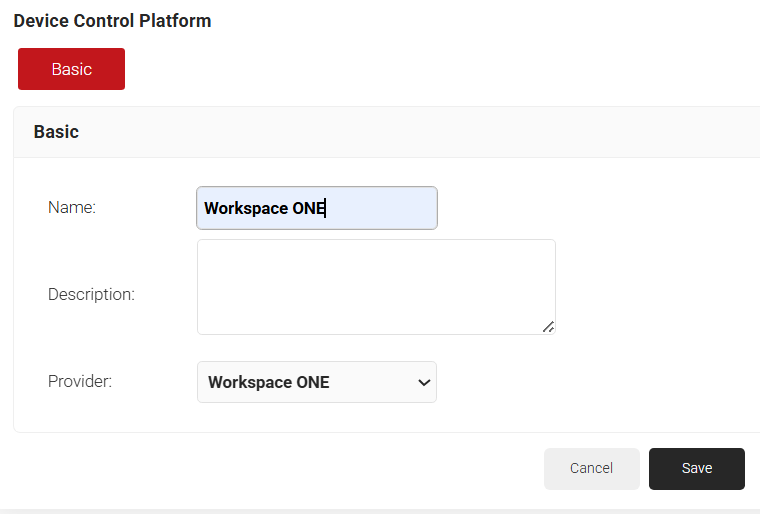
- Navigate to Integrations Hub > Device Control Platforms.
- Click Add.
- In the Name field, enter a name for the Workspace event hook.
- In the Description field, enter a description for the Workspace event hook.

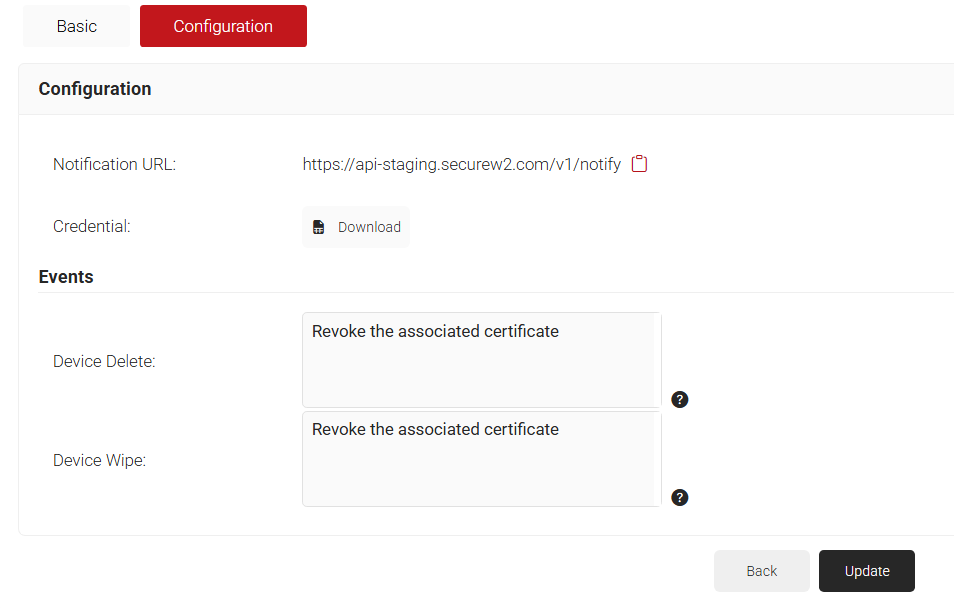
- Click Save. The page refreshes and opens a Configurations tab.
- Copy the Notification URL and paste in a textpad for configuring the end point in Workspace.
- Click Download to acquire the Secret for configuring the end point in Workspace.
- Under Events, Select Revoke the associated certificate option for Device Delete and/or Device Wipe events as necessary.
- Click Update.

- Login to Workspace One portal.
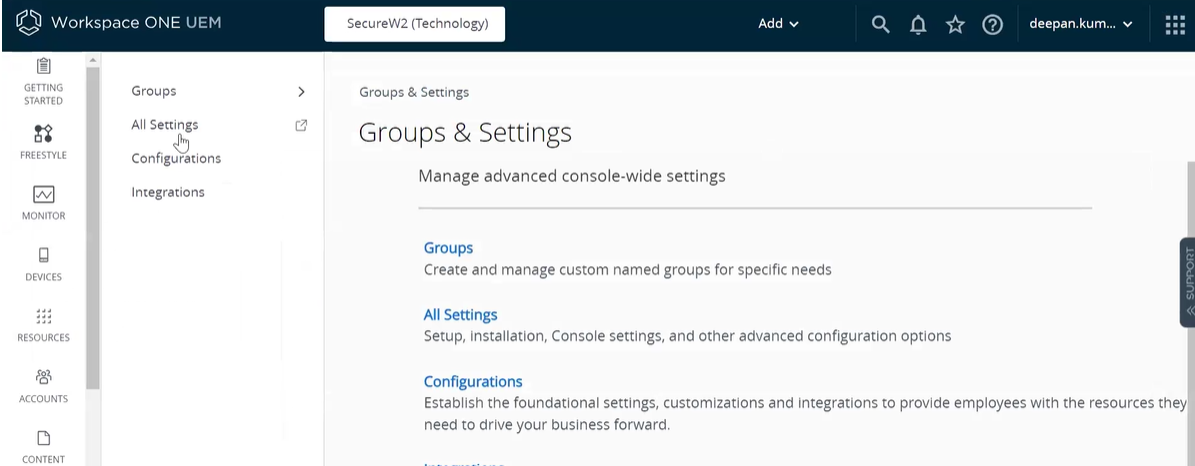
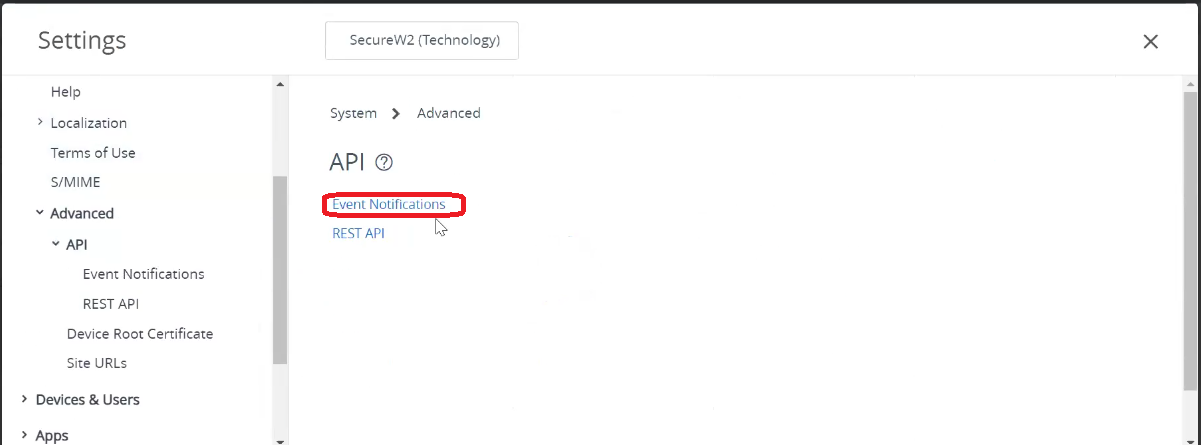
- Navigate to Groups & Settings > All Settings.

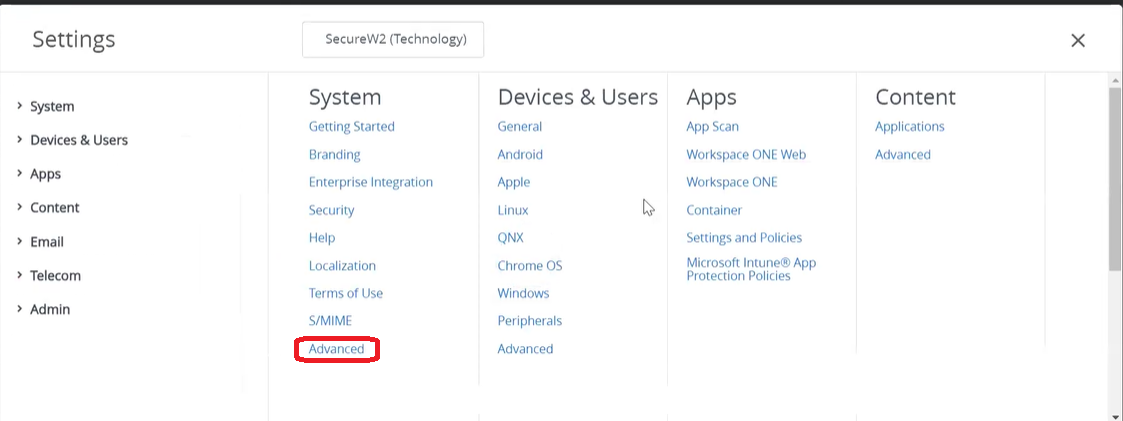
- Under System, click Advanced.

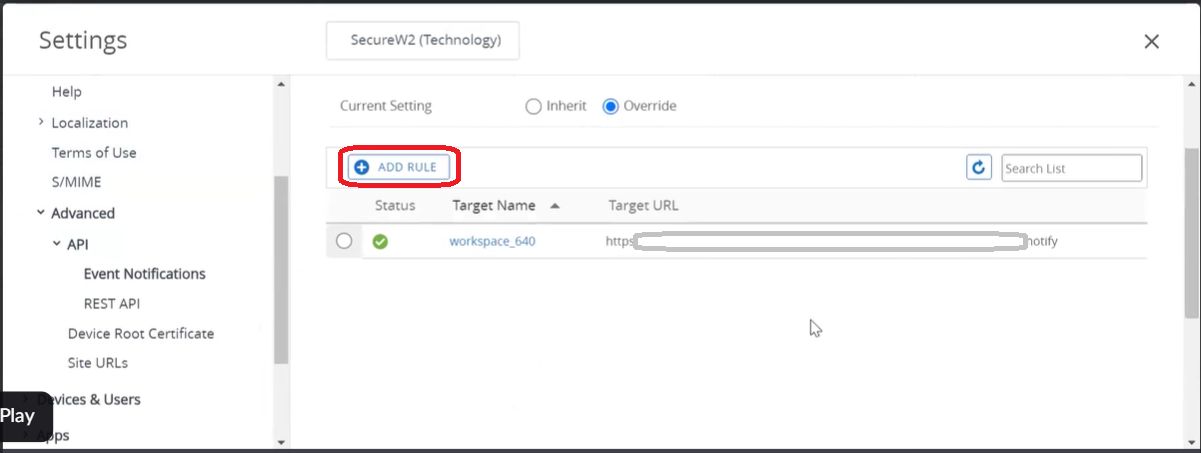
- Navigate to API > Event Notifications.

- Click ADD RULE.

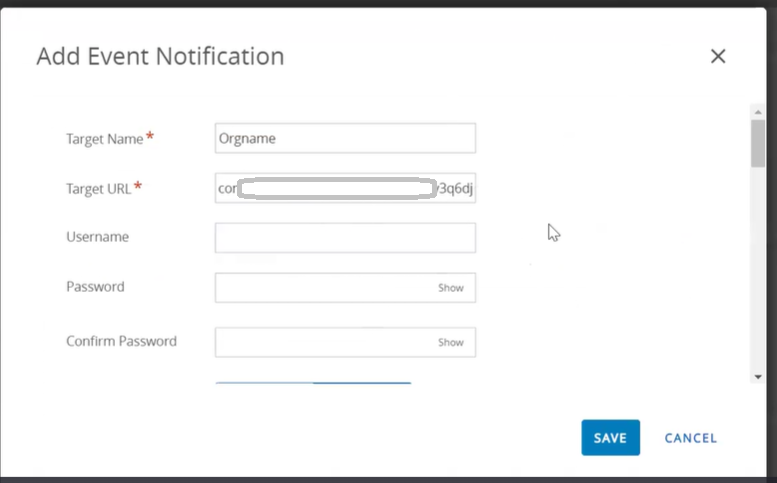
- In the Add Event Notification box, in the Target Name field, enter a name for the event notification.
- In the Target URL field, enter the endpoint URL as explained below:
- Pull up the textpad with Notification URL acquired from JoinNow in the previous section.
- Open the.csv file downloaded from JoinNow portal. Copy the Authentication Secret.
- Paste the secret inside the notification URL as explained below:
https://api.securew2.com/urlauth/<Authentication Secret>/V1/notify
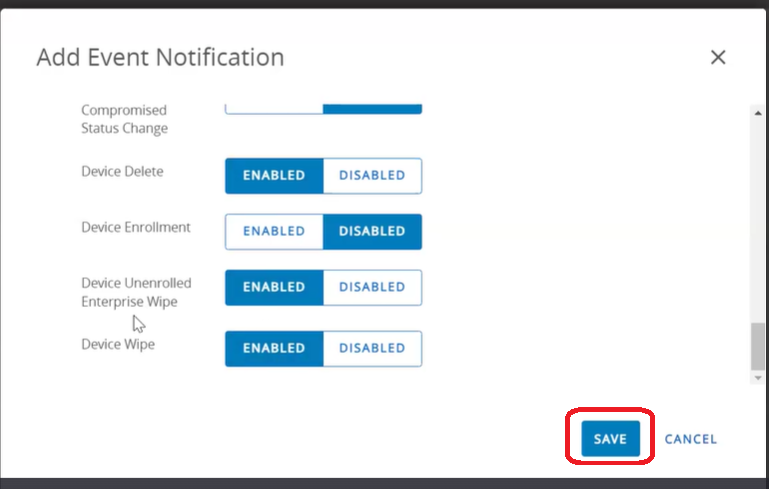
- Scroll down to select specific events to trigger notifications from Workspace One. We recommend selecting options Device Delete, Device Unenrolled Enterprise Wipe, and Device Wipe options.

- Click Save.
An Event notification configuration is now created in Workspace One. Upon meeting proper conditions of device deletion or device wipe, the certificate for the device will be revoked. The device will subsequently be kicked out of the secure Wi-Fi network.